Which microSD card for an R36 handheld, and how the two slots work
The R36S has two microSD slots. On the R36 models where the slots are marked, TF1 holds the system card and TF2 holds your games. Keep the system card as it came and back it up before anything else, then add a card from a recognized brand, bought from a seller you trust, for your game files.
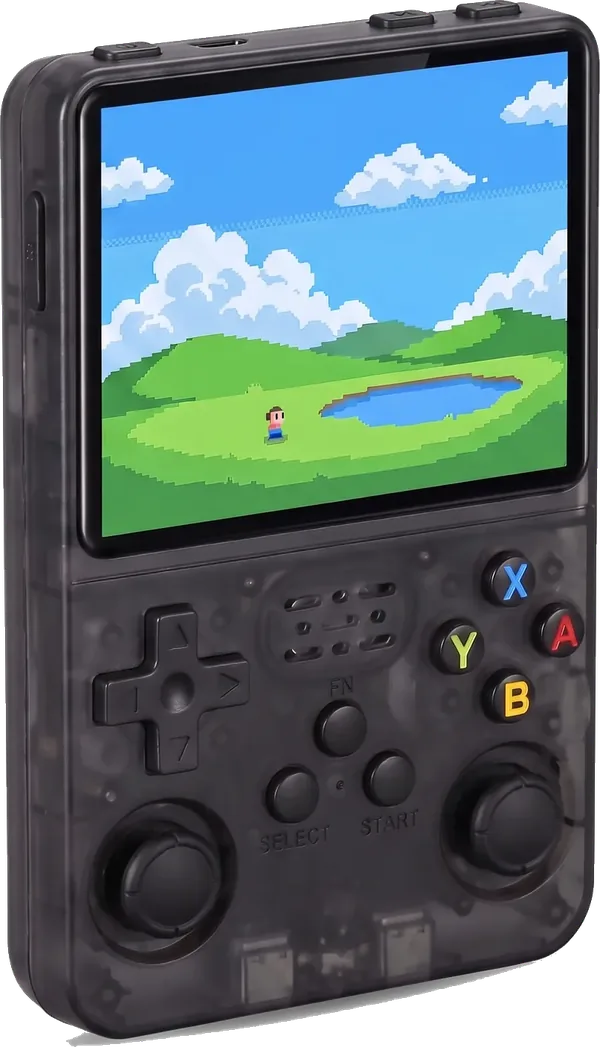
Which microSD card does the R36S need?
You choose 64 GB or 128 GB when you order an R36S. The second slot takes a card of your own, so you can add room later without replacing anything. Any card you add should be a microSD card from a recognized brand, bought from a seller you trust.
That advice is not ours alone: a published setup guide for this type of console notes that the cards shipped with them can be fragile, and recommends a backup and a brand card. A bigger or pricier card will not make games run faster. Capacity changes how many files fit, not performance.
What does each slot do on each R36 model?
The layout is not the same across the family. Here is what our fact sheets confirm, model by model:
| Model | Slots | What goes where | Card size |
|---|---|---|---|
| R36S | Two | The second slot takes a card of your own | 64 GB or 128 GB version |
| R36 Max | Two | TF1 (right) system, TF2 (left) games | Up to 128 GB |
| R36S Plus | Two | TF1-OS (right) system, TF2-GAME (left) games | Up to 128 GB |
| R36XX | Two | TF1-OS (right) system, TF2-GAME (left) games | Up to 128 GB |
| R36H Pro Max | Two | TF1-OS system, TF2-GAME games, on the bottom edge | Not stated beyond the card supplied |
| R36 Ultra X | One | TF1-OS (right side): system and games on one card | Not stated |
| R36H and R36 Ultra | Not confirmed yet | Not confirmed yet | Not confirmed yet |
Depending on the model, the slots sit on the sides or on the bottom edge, and the TF1 and TF2 markings next to them are the quickest way to tell which is which. Where the maker gives a maximum card size, we repeat it; where it does not, we do not guess one.
How big a card do you need?
A 128 GB card holds twice the nominal space of a 64 GB card. That is the only difference: same chip, same speed, same games running the same way. Pick the size for the files you plan to keep, with room to spare for saves.
On the single-slot R36 Ultra X, the system shares the card with your games, so plan its size with both in mind.
Not sure? Start with the card that comes with the console and add a second card later. On the two-slot models the games card is separate from the system card, so adding one does not touch the system.
Why does a 128 GB card show less space?
The usable space after formatting is always lower than the size printed on the card, and on a system card the operating system and its files take their share too. That is normal for any memory card and not a sign of a fake. A card that shows far less than it should, or that loses files, is another story: stop using it and copy what you can.
Why back up the system card first?
The console starts its system from the card in the TF1 slot. If that card fails or gets erased, there is nothing to start from. A full copy of it, kept on a computer, turns a dead card into a quick fix. Our fact sheets say the same before any system change: back up the cards first.
- Turn the console off from its menu, then take the system card out.
- Put it in a card reader on a computer and make a full image of the card with a disk imaging tool, not just a copy of the files you can see.
- Keep that image in two places. Do the same for your games card, or at least for its save files.
- Put the card back in the same slot before you turn the console on.
Our guide to saving games on the R36S covers the save files in more detail.
What can you put on the games card?
Game files you have the right to use, for example backups of games you own. We do not supply or link to games. On two-slot models the games card is yours to organize; leave the system card alone unless you are restoring it from your backup.